Measure the shared food-court experience without blurring ownership.
Measure the shared food-court visitor experience after a meal: seating, cleanliness, queue flow and atmosphere, while keeping tenant and landlord ownership clear.
Read the guideThumbsUp gives shopping-center operators a touchless way to invite a brief visitor rating at common-area touchpoints. A visitor faces a compatible camera-equipped Android tablet, gives a hand gesture, and authorized managers review the signal by mapped zone, device and time.
This page is for the center operator’s common-area experience. Individual tenant stores have different owners and service journeys; use the retail-store workflow when the tenant owns the question.
Choose a service point for shopping malls
Entrance, concierge, food court, restroom, or parking-to-center path
Invite an optional service gesture
Supported gesture at the camera.
Review the shopping malls signal
Zone and time context for center operations
Set one short service question.
More industry guides
Compare related service moments.
Measure the shared food-court visitor experience after a meal: seating, cleanliness, queue flow and atmosphere, while keeping tenant and landlord ownership clear.
Read the guideHelp mall operators spot common-area experience patterns across entrances, restrooms, corridors and pedestrian paths with touchless, zone-aware feedback.
Read the guideGive mall guest-services teams a fast signal on information, welcome and wayfinding moments with mapped, touchless visitor feedback from ThumbsUp.
Read the guideWhy a mall needs common-area context
Entrances, wayfinding, concierge, food courts, restrooms and parking paths belong to a center-wide experience. A tenant survey cannot answer every common-area question, so the operator needs a point and owner of its own.
A center manager can investigate wayfinding or restroom service, while a tenant owns checkout or product questions. Keep the buyer and route clear.
A device must leave room for visitors, strollers, carts and mobility aids. The prompt belongs at a point where a visitor can choose to pause.
A lower path score can prompt a wayfinding or cleaning review. It does not measure security, parking occupancy or a tenant’s performance automatically.
A center-wide feedback sequence
Shopping-center teams can choose a small set of approved points that each represent a clear visitor moment. The map, device label and response owner should match.
Choose entrance arrival, concierge help, food-court exit, restroom approach or a parking-to-center path, and name the common-area question.
Test sight lines, accessible reach, crowd flow, mounting, lighting and maintenance without narrowing an entrance or emergency path.
Invite a supported gesture at the camera. Keep a button, QR, or staff channel available.
Authorized managers review the mapped device, zone and time signal, then check cleaning, wayfinding or service records before changing a process.
Deployment check: Test placement for shopping malls.
From visitor signal to center action
ThumbsUp can help an operator compare defined visitor points. It complements tenant feedback, facilities workflows, parking systems and visitor surveys, each of which may carry more diagnostic detail for its own job.
Compare configured periods to see when an entrance, food court or common-area point deserves closer inspection.
Use device and location labels to distinguish entrance, concierge, restroom, food court and parking paths.
A lower signal can focus a review of cleaning, signage or visitor assistance. It does not identify the cause or a tenant automatically.
Hypothetical operator example
Hypothetically, the operator sees a lower signal at one common-area point during an evening period. The center team checks wayfinding, lighting and cleaning records before choosing an intervention. The signal does not measure parking occupancy, security coverage or tenant performance.
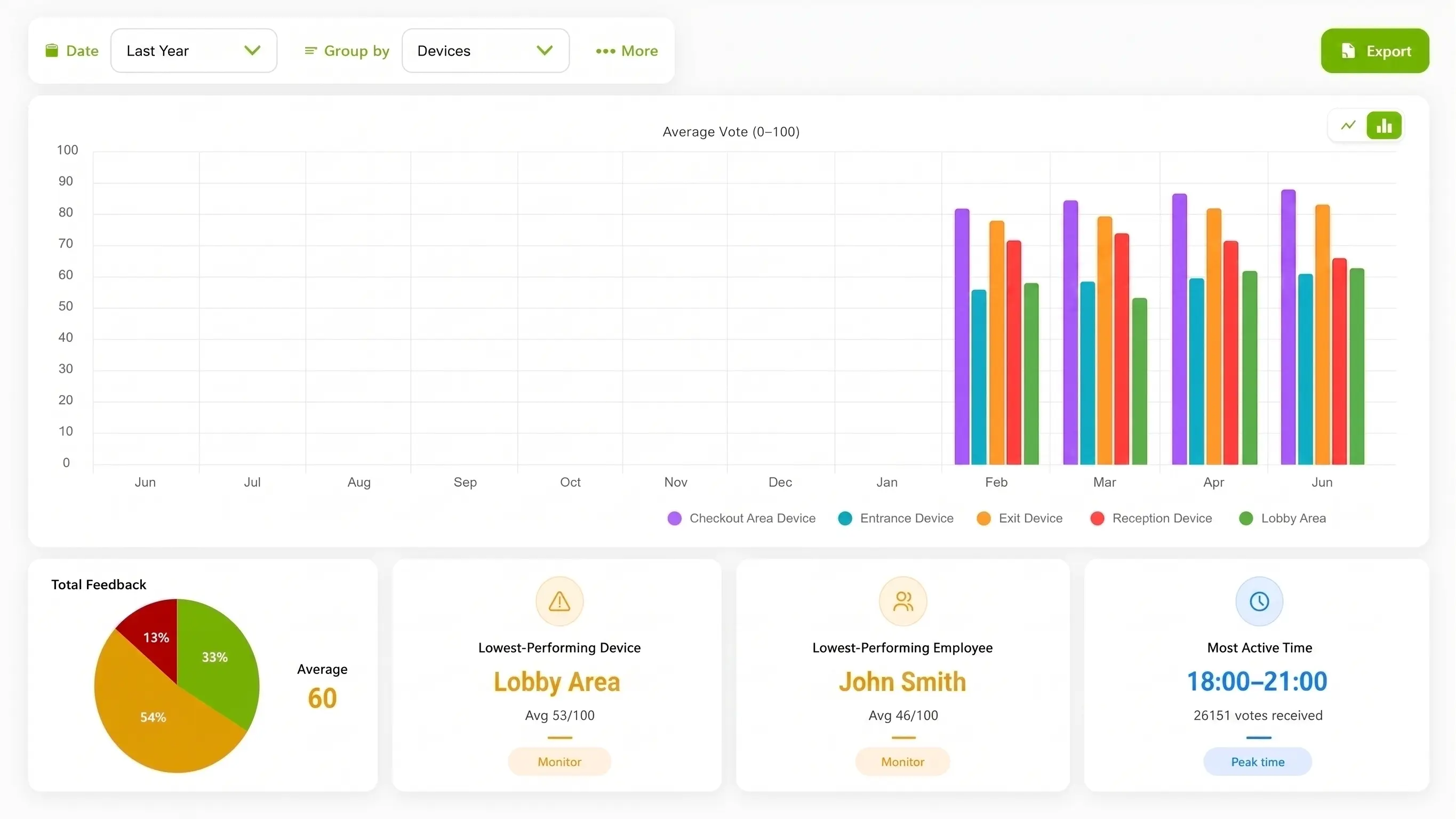
Common-area placement
An operator can start with one common-area moment and add another only when the visitor journey and owner are different. Keep parking, tenant and facilities boundaries explicit.
Invite a rating after arrival or assistance, leaving a visible route for visitors, strollers, carts and mobility aids.
Choose a post-task point where a visitor can pause without exposing private information or blocking a queue.
Use a defined pedestrian transition point to ask about wayfinding or arrival, without presenting the device as an occupancy or security system.
Useful evidence for a rollout: A permissioned common-area photograph, an illustrative center-zone diagram, and a captioned demonstration showing a stationary visitor interaction and dashboard view can help a mall operator evaluate fit. Identify diagrams as illustrative and keep faces, tenant branding, security layouts, license plates and visitor records out of unapproved media.
Compare interaction options for shopping malls
The operator’s method should match the scope of the question. A common-area pulse cannot replace tenant surveys or facilities systems.
| Consideration | ThumbsUp | QR survey | Physical-button terminal |
|---|---|---|---|
| Visitor effort | A brief gesture at an approved common-area point | A visitor scans, opens and completes a form on a personal device | A visitor reaches shared hardware and presses a physical control |
| Best fit | A short arrival, amenity or wayfinding signal owned by the center | Comments, detailed questions or take-away feedback | A rugged, familiar point where camera conditions are unsuitable |
| Tradeoff | Needs tested placement, power, connectivity, accessible reach and route space | Adds phone steps and depends on visitor attention and device access | Requires a reachable shared device and a maintenance owner |
Product fit for shopping malls
The documented ThumbsUp workflow uses a compatible camera-equipped Android tablet to capture a customer gesture for authorized manager review. Configured device, location and time context can help a center compare visitor signals, with employee-related results when schedules are configured.
ThumbsUp is a visitor-experience signal, not a parking-occupancy, security-monitoring, tenant-attribution, facilities-dispatch, POS-integration or visitor-identification system. Use tenant surveys, parking and security systems, or a richer visitor-feedback channel when those jobs require them. The camera handles gesture input; feedback records contain no video; the operator’s privacy and accessibility requirements still govern deployment.
Review the product specificationShopping centers have distinct visitor-experience moments across entrances, concierge areas, food courts, restrooms and pedestrian transitions. ThumbsUp can help authorized managers collect a quick, configured signal at those moments and review it by device, zone and time.
Questions for the shopping malls service journey
Validate local site conditions before launch.
A center can test an approved, fixed point at an entrance, concierge area, food court, restroom approach or pedestrian transition. With ThumbsUp, a visitor faces a compatible camera-equipped Android tablet, gives a supported hand gesture, and authorized managers review the mapped zone and time signal.
The operator should define the completed visitor moment, such as arrival, wayfinding, assistance or a common-area amenity. The prompt should stay outside private conversations and the result should be paired with facilities observations rather than treated as a security, occupancy or tenant-performance measure.
Managers can compare configured feedback by device, location and time. A zone difference can focus an inspection of signage, cleanliness or visitor assistance, but it does not automatically explain the cause or identify a tenant.
No. This page is for the center operator’s common areas and visitor journey. A tenant’s checkout, fitting-room or product question belongs to the retail-store workflow and its own manager or brand system.
Before an industry pilot for shopping malls
Check local constraints before choosing the interaction.
Who owns the point: landlord, facilities contractor, tenant or parking operator?
Can visitors pause without narrowing a crowded or accessible route?
What response owner receives the zone signal and what record will they inspect?
What alternative channel serves visitors who cannot or do not want to gesture?
How will the operator keep tenant, parking and security scope separate?
Which permissioned common-area image or labeled diagram can be published?
Use adjacent guides when the scope changes.
Bring the center map, common-area owner, visitor-flow constraint and facilities question. A focused pilot can show whether mapped touchpoints help the operator decide what to inspect next.
Plan a shopping-center pilot