Collect feedback where people leave the parking facility
Invite a short touchless signal at a pedestrian garage exit to review wayfinding, cleanliness and arrival experience.
Read the guideThumbsUp gives parking operators a touchless way to invite a brief rating after payment or at a pedestrian facility point. A customer faces a compatible camera-equipped Android tablet, gives a hand gesture, and authorized managers review the signal by mapped facility, level, device and time.
Never ask a driver to gesture while operating a vehicle. A pilot must separate pedestrians and moving traffic, preserve accessible reach, and test the camera point in the real light and weather conditions.
Choose a service point for parking facilities
Pedestrian exit, pay station area, or safe post-task pull-over point
Invite an optional service gesture
Supported gesture at the camera.
Review the parking facilities signal
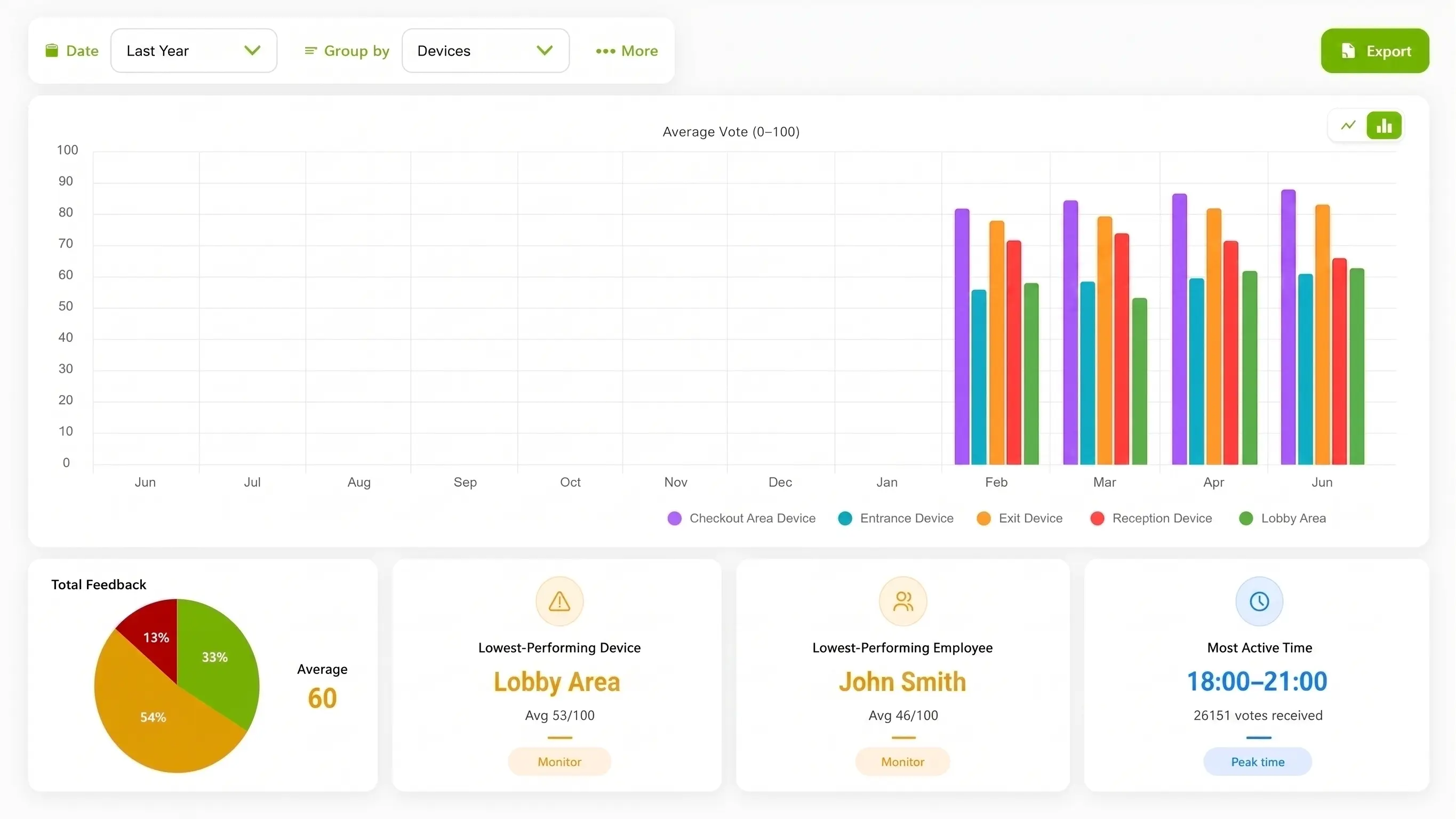
Facility, level and time context for parking operations
Set one short service question.
More industry guides
Compare related service moments.
Invite a short touchless signal at a pedestrian garage exit to review wayfinding, cleanliness and arrival experience.
Read the guideMeasure the post-conversation experience at parking help desks and review clarity of directions and assistance.
Read the guideCapture a post-payment signal at a safe stationary point and review clarity of the parking payment journey.
Read the guideWhy parking feedback needs a safe exit moment
A parking operator needs to know which task a customer just completed and which team can inspect it. A fixed point after the task can complement payment, occupancy and security systems without pretending to be one of them.
The driver must remain focused on driving. Use a pedestrian point or an approved stationary setup after the customer has completed the active vehicle task.
Lighting, wayfinding, payment, lift access and cleanliness can vary by level or facility. Label the point so the operator knows where to inspect.
A lower evening signal may prompt a lighting or wayfinding review. It does not measure spaces, security, payment status or a customer’s identity.
A safe parking-feedback sequence
The operator should map the vehicle and pedestrian paths, choose a responsible owner, and test the prompt without introducing an active-driving interaction.
Start with a pedestrian exit, pay-station area or safe stationary point after payment. Do not use a moving lane or ask a driver to gesture in traffic.
Check lighting, distance, mounting, weather exposure, vandalism risk, accessible reach and the route around the device.
Invite a supported gesture at a safe pause point. Keep a button or QR channel available.
Authorized managers compare the mapped facility, device, level and time signal, then inspect lighting, signage, payment or cleanliness records.
Deployment check: Test placement for parking facilities.
From parking signal to facility action
ThumbsUp can add a short post-task signal to a parking operator’s existing picture. It does not replace occupancy, payment, enforcement, safety or security systems, and it does not identify a vehicle or customer.
Compare configured periods to see when an exit or facility point warrants a lighting, queue or wayfinding review.
Use device and location labels to distinguish garages, surface lots, levels, pay stations and pedestrian exits.
A change in signal can focus a check of lighting, signs, cleanliness or payment instructions. It does not explain the cause automatically.
Hypothetical operator example
Hypothetically, an operator sees a lower signal from one level during an evening period. It checks lighting and wayfinding records independently before choosing a change. The signal does not measure occupancy, security coverage, payment completion or a driver’s behavior.
Parking-safe placement
A facility can choose a pedestrian or post-task point that leaves traffic and accessible routes clear. The installation, weather protection and response owner belong in the pilot checklist.
Place the device after a customer leaves the vehicle, where a person can pause with a clear route and accessible reach.
Invite feedback after payment without exposing payment details or creating a queue obstruction around the station.
If a vehicle-facing test is considered, it must use an explicitly stationary, separated point with no active-driving interaction.
Useful evidence for a rollout: A pedestrian/vehicle separation diagram, a permissioned payment-exit setup photo, and a captioned stationary demonstration can help a parking operator evaluate fit. Identify the exact point, such as a pedestrian garage exit, and describe any weather or vehicle conditions that still need local testing.
Compare interaction options for parking facilities
Choose the method that fits the post-task moment and the required detail. A touchless gesture should reinforce safety and accessibility decisions rather than bypass them.
| Consideration | ThumbsUp | QR survey | Physical-button terminal |
|---|---|---|---|
| Customer effort | A brief gesture at a pedestrian or stationary post-task point | The customer scans, opens and completes a form on a personal device | The customer reaches shared hardware and presses a physical control |
| Best fit | A short signal after payment, wayfinding or facility use | Comments, detailed questions or take-away feedback | A rugged input where camera conditions or reach favor a physical control |
| Tradeoff | Needs safe separation, power, connectivity, weather and accessibility testing | Adds phone steps and depends on a personal device and attention | Requires reachable shared hardware and a maintenance owner |
Product fit for parking facilities
The documented ThumbsUp workflow uses a compatible camera-equipped Android tablet to capture a customer gesture for review by authorized managers. Configured device, location and time context can help a parking operator compare signals, with employee-related results when schedules are configured.
ThumbsUp is a feedback signal, not an occupancy, payment, enforcement, security, license-plate, vehicle-identification or customer-identification system, and it is not intended for active-driving interaction. Use the parking operator’s payment, occupancy, safety and complaint systems for those jobs. The camera handles gesture input; feedback records contain no video; the facility’s privacy, accessibility and procurement requirements still govern deployment.
Review the product specificationParking operators can use ThumbsUp at a defined payment, wayfinding or exit moment where a driver can pause safely. Managers review the signal by configured device, location and time alongside parking operations.
Questions for the parking facilities service journey
Validate local site conditions before launch.
A parking operator can test a fixed point after payment or at a pedestrian exit, separated from moving traffic. With ThumbsUp, a customer faces a compatible camera-equipped Android tablet, gives a supported hand gesture, and authorized managers review the mapped facility and time signal.
A garage can offer a brief gesture at a suitable pedestrian or post-task point instead of requiring a QR scan or typed phone survey. The operator still needs to test reach, lighting, distance, weather, maintenance and a channel for customers who cannot or do not want to gesture.
Use a pedestrian exit, pay-station area or explicitly separated stationary point after the active vehicle task. Never ask a driver to interact while operating a vehicle, and never narrow an accessible route or moving lane.
No. A brief service signal can help prioritize an operational investigation, while occupancy, payment, safety, enforcement and security systems remain separate sources for their own jobs.
Before an industry pilot for parking facilities
Check local constraints before choosing the interaction.
Is the point fully separated from moving traffic and active driving?
Can pedestrians, luggage and mobility aids reach it without an obstruction?
What lighting, weather, vandalism and mounting conditions must be tested?
Which facility, level and time labels will an operator review?
What payment, occupancy, enforcement and safety systems remain separate?
Which permissioned pedestrian or stationary image can be published?
Use adjacent guides when the scope changes.
Bring the vehicle and pedestrian paths, facility conditions, accessibility questions and operating hypothesis. A focused test can show whether a post-task gesture point is suitable before a wider portfolio decision.
Evaluate a parking-exit pilot