Turn baggage-claim feedback into an owned terminal question
Collect a brief, labeled signal after baggage claim so airport teams can review wayfinding, hall conditions, and arrival flow with the right owner.
Read the guideThumbsUp gives airport and terminal teams a touchless way to invite a brief service rating at an approved, fixed touchpoint. A passenger faces a compatible camera-equipped Android tablet, gives a hand gesture, and authorized managers review the configured location and time signal alongside operational observations.
Airport deployment is a procurement and suitability exercise. Any point must support a deliberate pause, free-hand access, accessibility, security review and a safe route around passenger flow.
Choose a service point for airports
Check-in, security exit, gate, baggage claim, or restroom approach
Invite an optional service gesture
Supported gesture at the camera.
Review the airports signal
Terminal-area and time context for passenger-experience review
Set one short service question.
More industry guides
Compare related service moments.
Collect a brief, labeled signal after baggage claim so airport teams can review wayfinding, hall conditions, and arrival flow with the right owner.
Read the guideBuild a practical airport passenger-experience feedback loop that combines fixed-point signals with the airport's existing surveys, logs, and service owners.
Read the guideDesign an optional restroom-exit feedback point for airport facilities teams, with clear placement, accessibility, custodial follow-up, and scope limits.
Read the guidePlan an approved, post-checkpoint feedback point that respects passenger flow, accessibility, and the difference between service signals and security metrics.
Read the guideCreate a practical airport touchpoint map that links each feedback device to a terminal stage, safe pause point, owner, and review question.
Read the guideWhy airport feedback needs terminal context
Check-in, security exit, gates, baggage claim, concessions and restrooms have different owners and constraints. A simple signal becomes useful when the airport can name the point, preserve a safe flow and give the right team a question to investigate.
Terminal operations, facilities, concessions, cleaning contractors and passenger-experience teams may own different touchpoints. Device labels should reflect that boundary.
A device must not require interaction while a passenger is walking, handling luggage or moving through a controlled queue. Test an intentional pause point.
A lower signal can prompt a review of queues, signs or facilities. It is not a security-performance metric, identity signal or automatic passenger-journey trace.
An airport touchpoint sequence
An airport pilot should fit procurement, security, accessibility and passenger-flow review. The operating owner and the alternative feedback channel should be defined before installation.
Choose check-in, security exit, gate, baggage claim or another fixed point with airport and local owner approval. Do not imply a moving-passenger interaction.
Check free-hand use, reach, visibility, language-neutral prompting, mobility routes, luggage space, lighting and distance with an alternative channel available.
Invite a supported hand gesture at a safe pause point. Never interrupt security or boarding.
Authorized managers compare the configured device, location and time context, then check queue, signage, facilities or concession records to investigate.
Deployment check: Test placement for airports.
From passenger signal to terminal review
ThumbsUp can support a brief point-of-experience signal. It does not replace formal airport passenger programs, complaints, safety systems, security processes or detailed surveys, and it does not automatically connect separate terminal points into one passenger journey.
Compare configured periods to decide when a gate, queue exit or facilities point deserves an operations review.
Use device and location labels to keep check-in, security exit, gate, baggage claim and facilities questions distinct.
A change in signal can guide a review of queue, wayfinding or cleaning observations. It does not identify the cause automatically.
Hypothetical operator example
Hypothetically, a device after a security exit shows a lower signal during a narrow time period. The passenger-experience team reviews queue and signage observations with the relevant owner. The gesture does not measure security performance, passenger identity or a complete terminal journey.
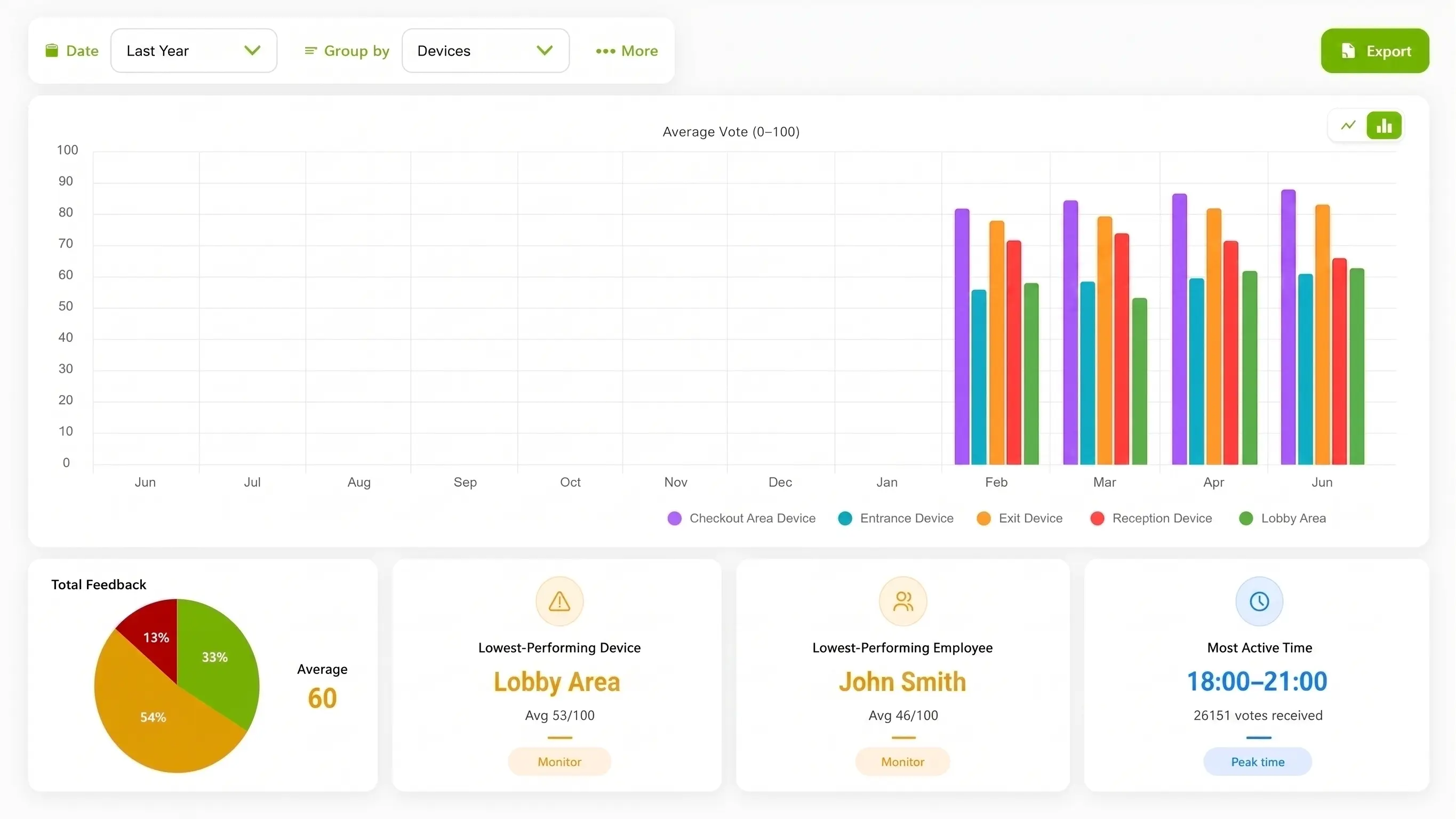
Terminal deployment planning
Airport teams should make the interaction legible and optional without narrowing a route. Map the point, responsible owner, accessible alternative and approval path before discussing network rollout.
A check-in or security exit can offer a point after the controlled process, subject to airport approval and enough space for a deliberate pause.
A gate-side point may fit when passengers are already waiting, with sight lines, seating, luggage and boarding announcements considered.
Use a defined post-task point near baggage claim or a restroom approach while keeping staff, cleaning and accessible routes clear.
Useful evidence for a rollout: An airport-approved terminal map, a non-sensitive staged or permissioned setup, and a captioned video showing a stationary passenger interaction and dashboard view can help an airport team evaluate fit. Mock terminals should be identified clearly, and badges, boarding data, faces, security layouts and passenger records should stay out of media unless the airport has approved them.
Compare interaction options for airports
An airport chooses a method based on the operational question, approval path and passenger flow. A brief gesture is useful only when the fixed point is suitable.
| Consideration | ThumbsUp | QR survey | Physical-button terminal |
|---|---|---|---|
| Passenger effort | A brief gesture after a deliberate pause at an approved point | A passenger uses a personal phone and completes a form | A passenger reaches a shared control at a fixed terminal point |
| Best fit | A quick signal after a defined terminal moment | Detailed survey, comments, take-away feedback or known follow-up | A rugged input where camera conditions or approval favor a physical control |
| Tradeoff | Requires airport approval, safe flow, power, connectivity and tested recognition | Adds steps and depends on a personal device and attention | Requires shared hardware, maintenance and an accessible reach point |
Product fit for airports
The documented ThumbsUp workflow uses a compatible camera-equipped Android tablet to capture a customer gesture for review by authorized managers. The dashboard can provide configured device, location and time context, with employee-related results when schedules are configured.
This page describes a pilot workflow, not an airport deployment, ACI partnership, certification, security integration or passenger-journey tracking. ThumbsUp complements an airport’s established survey, complaint, safety and accessibility channels where those jobs require more detail. The camera handles gesture input; feedback records contain no video; the airport’s own privacy and security review still governs deployment.
Review the product specificationAirports have many distinct passenger touchpoints, including check-in, security, gates, baggage claim, lounges and restrooms. ThumbsUp can help an approved airport team collect a quick signal at a defined point and review it by location and time.
Questions for the airports service journey
Validate local site conditions before launch.
An airport can assess a fixed, approved point where a passenger can safely pause after a defined moment. With ThumbsUp, the passenger faces a compatible camera-equipped Android tablet, gives a supported hand gesture, and authorized managers review the configured device, location and time signal.
Consider a post-process exit, gate waiting area, baggage-claim point or facilities approach where the airport can preserve flow, accessibility, privacy and a deliberate pause. The correct location, distance, lighting, mounting and approval path must be tested locally.
A signal from a labeled point and time window can focus a review of queues, signage or facilities around that point. Pair it with the airport’s approved security, passenger-service and facilities records when deciding what to improve.
A brief point-of-experience signal adds local context to formal passenger programs, complaint handling, accessibility duties, security processes and safety systems. Each method keeps its own evidence, approvals, and operational responsibility.
Before an industry pilot for airports
Check local constraints before choosing the interaction.
Which airport owner approves the physical point and the camera-facing prompt?
Can a passenger pause with luggage without narrowing a secure or accessible route?
What happens for passengers who cannot or do not want to gesture?
Which privacy, security, language and procurement reviews are required?
Which formal passenger, complaint and safety programs remain in scope?
What non-sensitive terminal image or demonstration has permission to be published?
Use adjacent guides when the scope changes.
Bring the terminal zone, owner, approval path, accessibility questions and operational hypothesis. A careful discovery step can show whether a fixed gesture point is suitable before procurement expands.
Scope an airport touchpoint pilot