Review the public-service appointment journey
Capture a post-appointment signal about arrival, navigation and next-step clarity in public-service offices.
Read the guideThumbsUp can be evaluated as a voluntary service-experience pulse after an in-person interaction at a public service desk or office. It gives teams a way to review a point-in-time signal while formal complaints, case systems, and public-service duties stay separate.
For public-sector CX leads, agency service-center managers, quality teams, and procurement owners
Treat accessibility, language, privacy, public-record, procurement, and alternative-channel requirements as part of the service design.
After a counter interaction
Citizen completes the service moment
Step 1 for the public service exit workflow
A voluntary gesture is offered
Step 2 for the public service exit workflow
Team reviews office and time context
Step 3 for the public service exit workflow
Set one short service question.
More industry guides
Compare related service moments.
Capture a post-appointment signal about arrival, navigation and next-step clarity in public-service offices.
Read the guideUse a short touchless signal to understand queue communication and waiting-area experience in public offices.
Read the guideCapture a quick, touchless signal after a government service-counter interaction and review clarity and courtesy.
Read the guideWhy citizen feedback needs a clear purpose
A citizen may need to file a complaint, appeal a decision, or ask for an accommodation. A brief service-experience pulse can sit beside those channels only when the office explains its purpose and keeps the process accessible.
A voluntary rating can describe a visit’s experience. It should not replace a complaint, appeal, benefits decision, or case-management process.
Language, disability access, age, digital comfort, and the ability to pause at a counter all affect who can use the prompt.
Queue length, signage, staffing, and time of day may shape a service signal. The office team decides what to investigate.
A public-service pilot sequence
A good government pilot is clear about purpose, voluntary participation, accessible alternatives, and the people who can act on the signal.
Choose a counter, appointment, queue, or office-exit moment with an owner and a clear question.
Keep the device visible and outside private case conversations, identity documents, and screens.
Explain the voluntary service pulse and provide an alternative channel for people who cannot or do not want to use it.
Authorized managers can compare configured devices and time periods, then check queue and signage observations.
Deployment note: Do not present a service rating as a complaint, case decision, public-record response, or accessibility substitute. The office must set its own public-sector review, language, records, and procurement requirements.
Placement planning
A citizen should be finished with the service and able to pause without exposing an ID document, case screen, or private conversation.
From citizen signal to office question
The dashboard can organize configured device, office, and time context. The office supplies the queue, signage, staffing, and service records needed to understand a pattern.
Compare defined periods or service points to see where an operational question may recur.
Use device and location labels to distinguish offices, desks, or public service routes.
Review queue length, instructions, staffing, and service observations before deciding what changed.
Illustrative office check
If one office’s afternoon scores fall, the manager reviews queue and signage observations. The signal should not be used to infer a citizen’s identity, case number, benefits decision, or staff-discipline outcome.
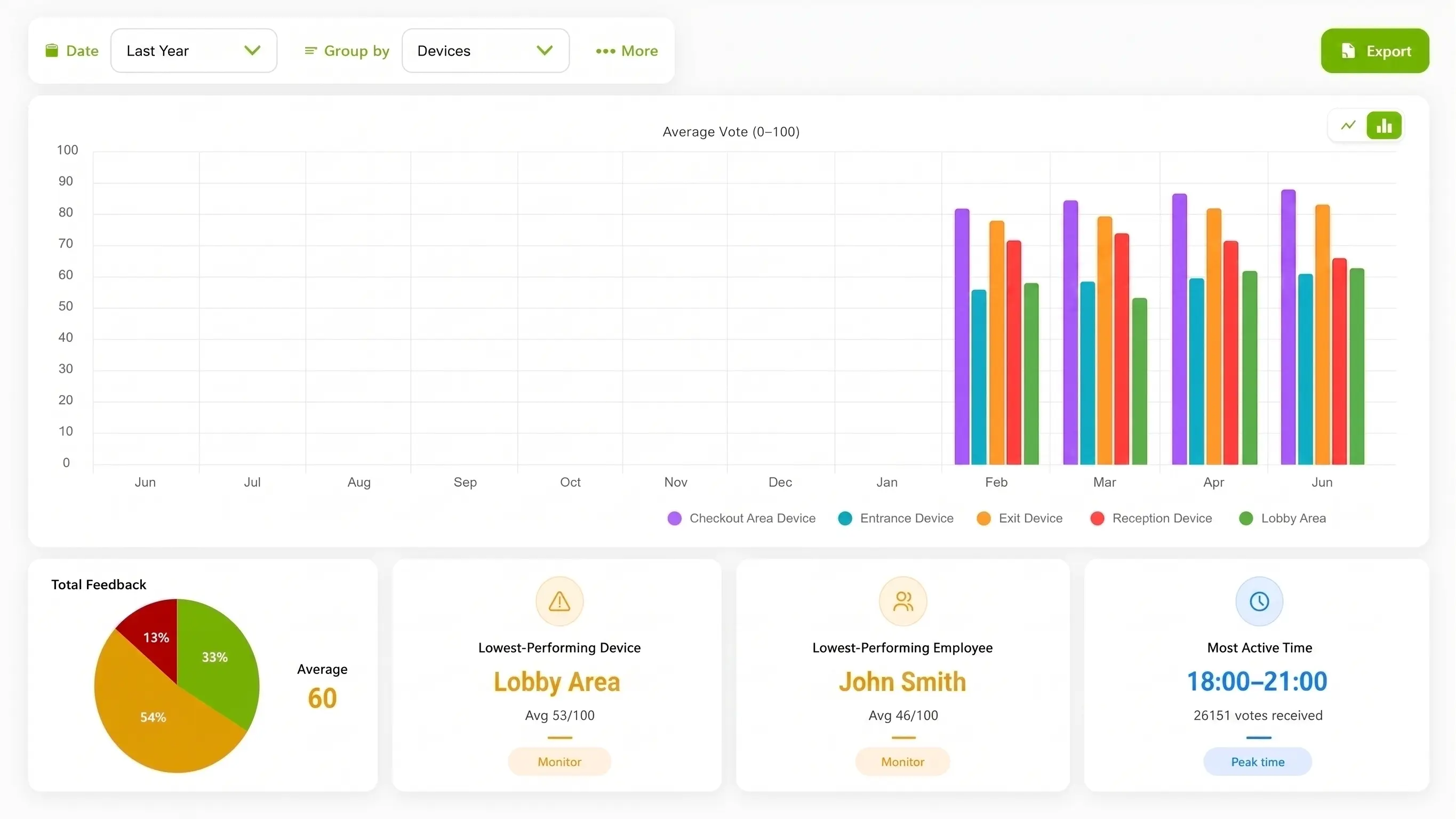
Illustration of configured review.
Choose the method for the service question
A complaint form, case system, mandated survey, or phone service may be required for a different purpose. A public-service prompt should make its limited role clear.
| Consideration | ThumbsUp | QR or phone survey | Shared kiosk |
|---|---|---|---|
| Customer action | Give a brief gesture at an approved counter or office exit. | Scan, call, or complete a formal citizen survey or complaint form. | Use a shared device only where the office has approved the access and records flow. |
| Setup question | Check camera view, distance, light, and pause. | Open the code and complete the form. | Reach the shared screen at the moment. |
| Manager view | Review device, location, time, and context. | Review fields from the survey workflow. | Review fields from the kiosk workflow. |
Evidence for rollout planning
An approved service-center photo or clearly identified diagram can help a public-service team evaluate the counter exit, alternative channel, and pause space. A captioned demonstration should explain the service pulse without showing identity documents or real case data.
Public-sector boundary
A voluntary point-in-time signal does not replace formal complaints, appeals, case handling, language access, public-record duties, or procurement review. Do not add a government certification or accessibility-conformance claim without written evidence.
Read the relevant product guidanceBuying questions
Bring the office’s public-service obligations into the placement and buying conversation.
Questions before the pilot
Match setup to the service moment.
An office can test a compatible camera-equipped Android tablet at an approved service-desk or office exit. A citizen gives a voluntary gesture after service, and the office reviews the configured location and time context alongside its formal channels.
A touchless gesture prompt is one possible alternative to a shared touchscreen or phone form at a suitable pause point. The office must approve the placement, accessibility, explanation, records treatment, and alternative channels.
A service-experience pulse is a separate signal that can sit alongside a formal complaint, appeal, case-management workflow, public-record response, or benefits decision.
Authorized managers can compare configured devices, offices, and time periods. The result is a point-in-time signal for operational review and does not identify a citizen or prove a cause.
Bring the service-center workflow, accessibility questions, and procurement owners. We can review a clear counter-exit use case and the checks needed before launch.