Feedback on dental appointment communication and reminders
Measure whether dental appointment reminders, rescheduling instructions and arrival communication are clear with a touchless in-clinic feedback workflow.
Read the guideThumbsUp gives dental practices and groups a brief, touchless service signal after a visit. Keep the prompt at reception or checkout, outside treatment conversations, and use it to review office patterns without evaluating clinical outcomes.
For practice owners, office managers, patient coordinators, and dental-group operations
Use a calm, discreet point where a patient can pause voluntarily and choose another feedback route when needed.
After the visit is complete
Patient leaves the treatment conversation
Step 1 for the practice checkout workflow
A discreet gesture is offered
Step 2 for the practice checkout workflow
Office reviews service patterns
Step 3 for the practice checkout workflow
Set one short service question.
More industry guides
Compare related service moments.
Measure whether dental appointment reminders, rescheduling instructions and arrival communication are clear with a touchless in-clinic feedback workflow.
Read the guideUse a touchless feedback point at dental checkout to learn whether payment explanations, next steps and follow-up handoffs were clear.
Read the guideLearn where to place touchless feedback at a dental reception desk and turn check-in patterns into practical improvements for welcome, forms and waiting communication.
Read the guideWhy dental feedback belongs after treatment
Waiting, reception, explanations, comfort, and cleanliness are different service moments. A dental pilot should invite a voluntary signal only after the patient is outside the treatment conversation and the office can respond to an operational question.
Place the prompt at reception or checkout and avoid displaying patient details, treatment notes, or clinical screens.
A calm prompt, a deliberate pause, and an alternative feedback path matter at the end of an appointment.
A score can start a review of scheduling or communication. It should not be presented as a clinical quality or outcome measure.
A dental-office sequence
The prompt should feel like a quiet office-experience question, with a placement and response plan the practice team understands.
Start at checkout, reception exit, or another public practice point after treatment and payment conversations are complete.
Separate the tablet from clinical rooms, patient notes, screens, and conversations that need privacy.
Offer a voluntary service prompt and let anxious, occupied, or accessibility-constrained patients use another channel.
Compare configured practice, location, and time context, then check scheduling and communication observations.
Deployment note: Do not use a service pulse to infer clinical outcomes or expose patient information. Keep the setup outside treatment conversations and review accessibility, privacy, and patient-choice requirements before launch.
Placement planning
The best point gives a patient a little space after the visit without putting the prompt in the middle of payment, treatment explanation, or a waiting-room conversation.
From patient signal to office question
A dashboard pattern helps a team choose what to inspect. The office supplies the scheduling, communication, and reception observations; the score does not supply a clinical conclusion.
Compare defined periods to see whether a recurring reception or appointment-flow question deserves attention.
Use configured device and location labels to compare offices or public service points.
Check scheduling, explanations, reception handoff, and signage before deciding what action to take.
Illustrative waiting-area check
If waiting-area scores fall during one period, the office checks scheduling and communication observations. The signal does not evaluate a treatment, dentist, hygienist, or clinical outcome.
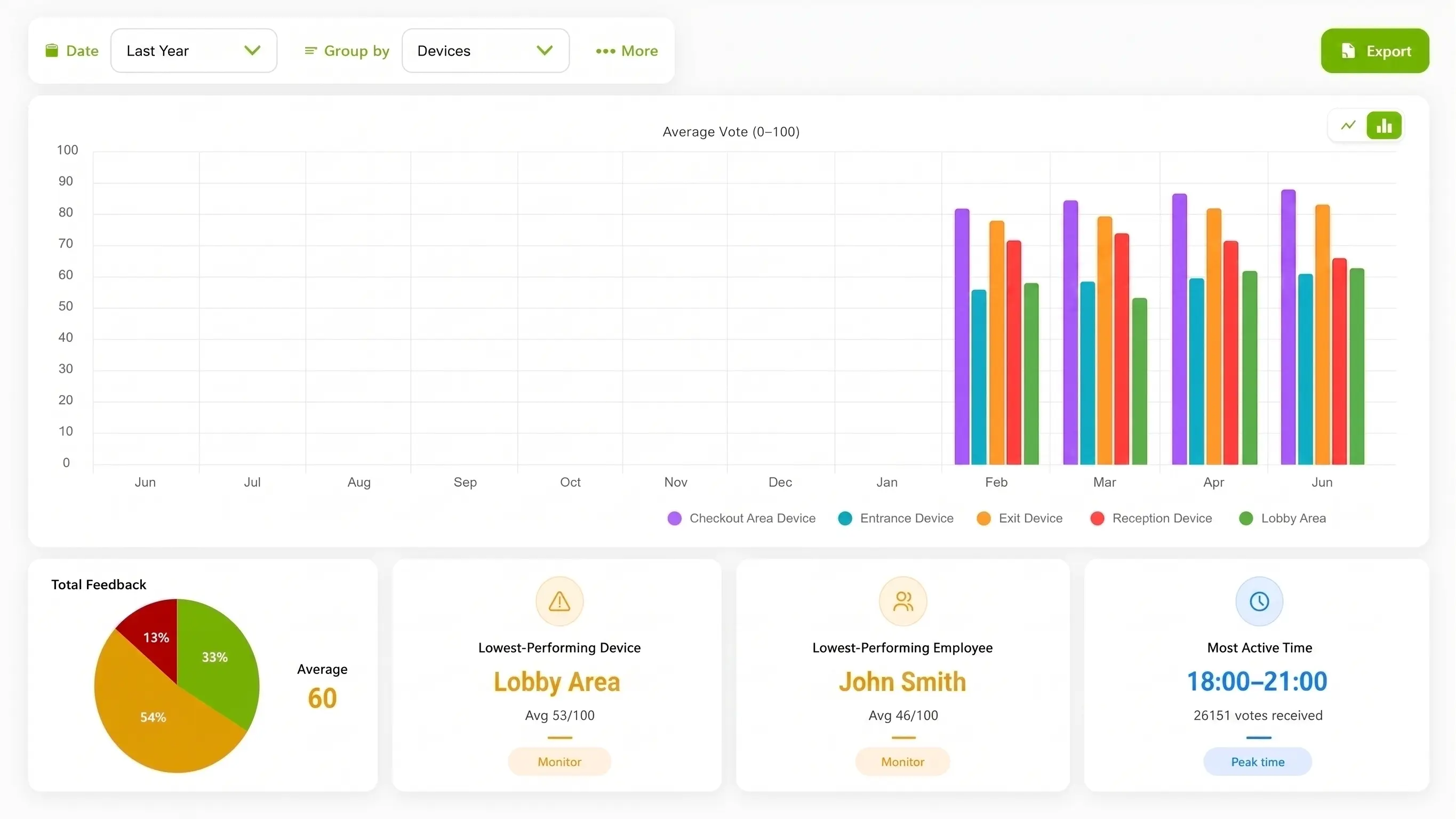
Illustration of configured review.
Choose the method for the practice moment
SMS surveys and public reviews serve different purposes. A practice can use a brief physical prompt for a point-in-time service signal without gating or suppressing independent public feedback.
| Consideration | ThumbsUp | QR or phone survey | Shared kiosk |
|---|---|---|---|
| Customer action | Give a voluntary gesture at a discreet reception or checkout point. | Open a post-visit SMS or email survey and answer its questions. | Use a shared kiosk in a waiting or reception area where approved. |
| Setup question | Check camera view, distance, light, and pause. | Open the code and complete the form. | Reach the shared screen at the moment. |
| Manager view | Review device, location, time, and context. | Review fields from the survey workflow. | Review fields from the kiosk workflow. |
Evidence for rollout planning
A permissioned practice setup or clearly identified diagram can help a dental team evaluate the quiet reception prompt. A short patient-facing demonstration should show the workflow with no names, treatment screens, or patient data.
Practice and patient boundary
A dental-office pulse can help a practice examine waiting, communication, comfort, or cleanliness. It does not evaluate clinical outcomes, replace a complaint conversation, or prevent a patient from leaving a public review.
Read the relevant product guidanceBuying questions
A respectful first test should cover the patient’s comfort and the practice’s workflow.
Questions before the pilot
Match setup to the service moment.
A practice can test a compatible camera-equipped Android tablet at checkout or reception after the visit. A patient gives a supported gesture, and the office reviews the configured service point and time context.
It is a customer-facing tablet prompt that accepts a supported hand gesture instead of a shared touchscreen or QR survey. The practice should test a discreet, accessible placement away from treatment conversations.
A private service pulse is a separate feedback path. Public reviews remain independent, and a practice can keep every feedback route clear and voluntary.
A point-of-service signal should not be presented as a clinical outcome or treatment assessment. Use clinical quality processes for clinical questions and the pulse for an approved office-experience question.
Bring the reception layout, patient-experience question, and privacy boundaries. We can review a discreet placement and the operational checks needed before launch.